
If you are an admin on a premium board and need to change the method of payment on file, you can do it as follows:
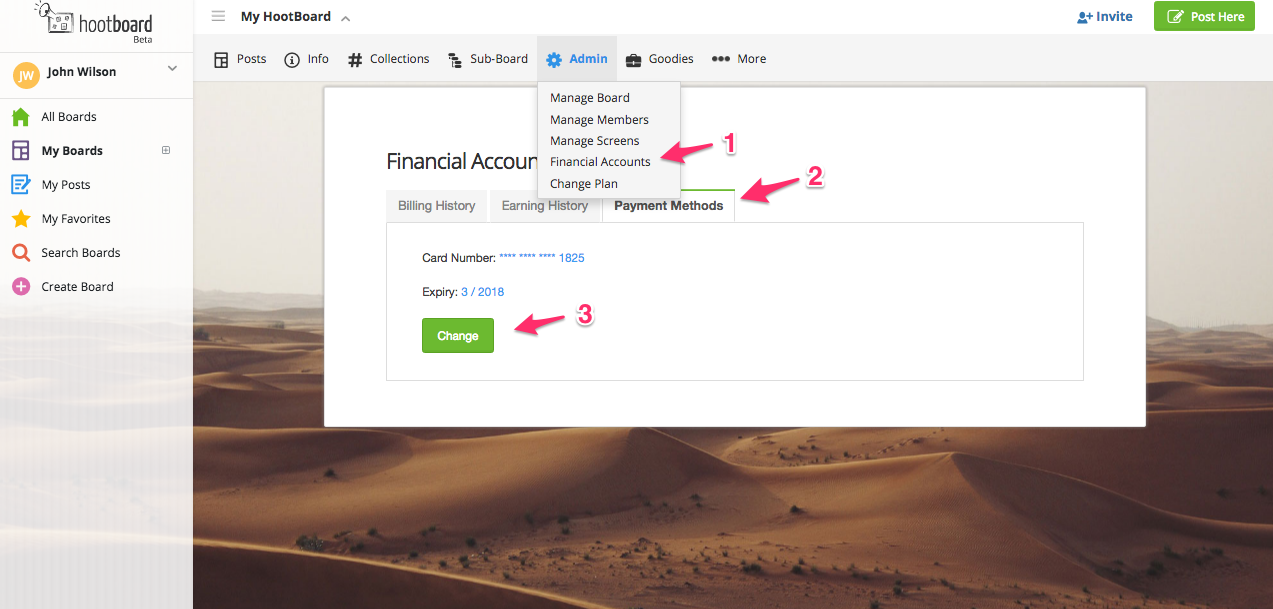
1. Navigate to Admin menu on your board and click on Financial Accounts
2. Click Payment Methods
3. Click Change
4. Enter the new payment information
5. Click Update
PS. To change the board admin associated with the payment. The new admin can just change the financial information as stated above and invoices will be sent to the new admin going forward.
Comments
0 comments
Please sign in to leave a comment.