
There are certain scenarios, where you'll need to know the MAC address of the HootBoard Kiosks, typically to connect it to a secured network. It is very easy to figure out the MAC address as detailed below.
- Connect a USB Keyboard to the Kiosk
- On the keyboard, press CTRL + ALT + Right Arrow simultaneously.
- This will open a keypad on the screen to enter a numeric passcode. Please ask your support person for your screen OS passcode.
Important Note: Please note that this passcode cannot be entered via. the keyboard and you will have to enter it slowly using the touch interface. - Once you have successfully logged in, you shall see the following Administrator Dashboard.
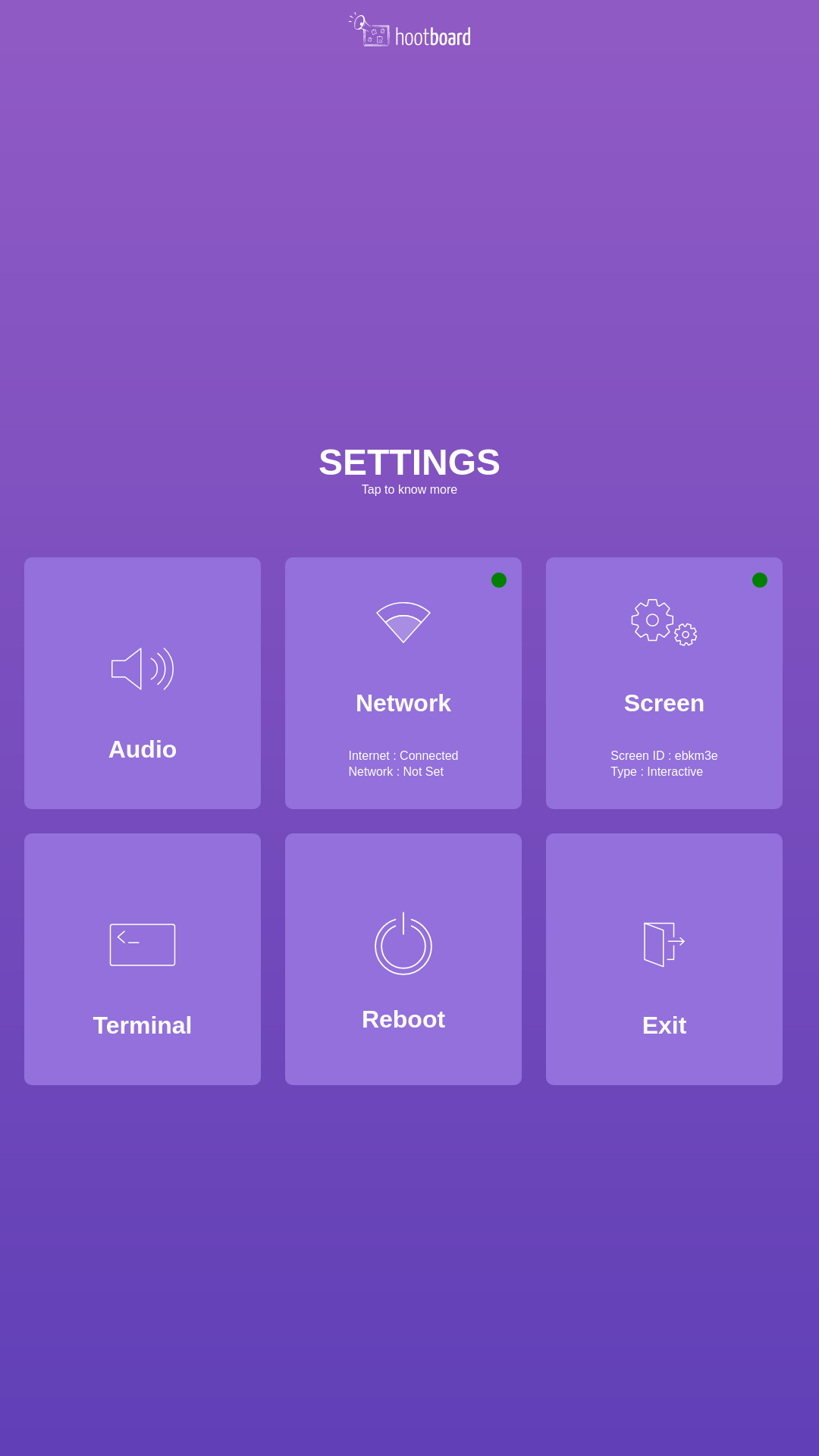
- Click on the Terminal icon, it will pop open a Terminal windows, you can type the following command on the terminal
-
ip addr | grep 'link/ether'
It will show the following result
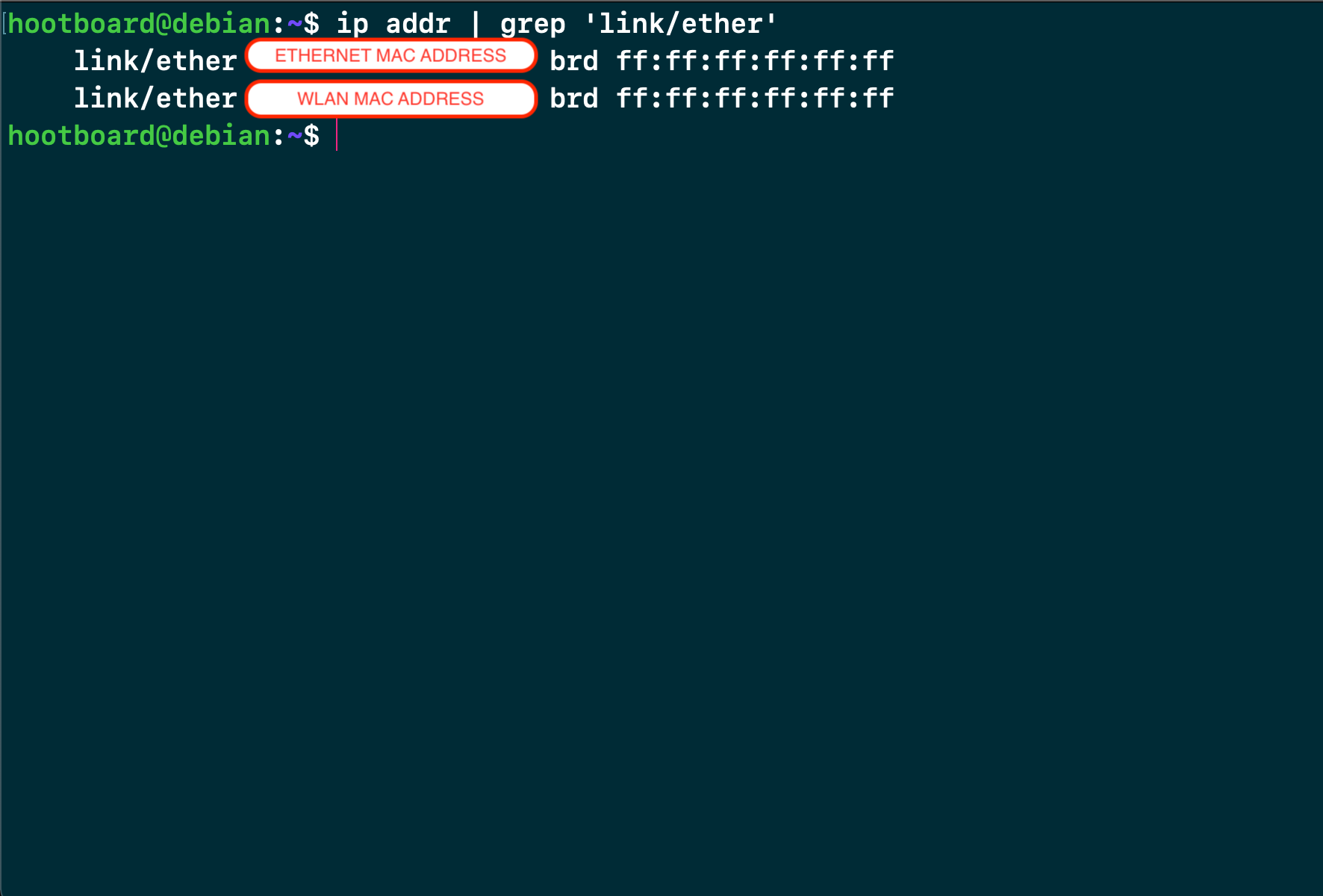
- What you'll see next to the link/ether text and denoted here in the rounded box will be the MAC address of the respective interfaces.
- The first one will be the MAC address of your ethernet interface, and the second one will be the MAC address of the Wifi interface.
Hope that helps.
Comments
0 comments
Please sign in to leave a comment.