
Below are some tips on how to organize your screen apps. Refer to this article on how to setup your screen apps.
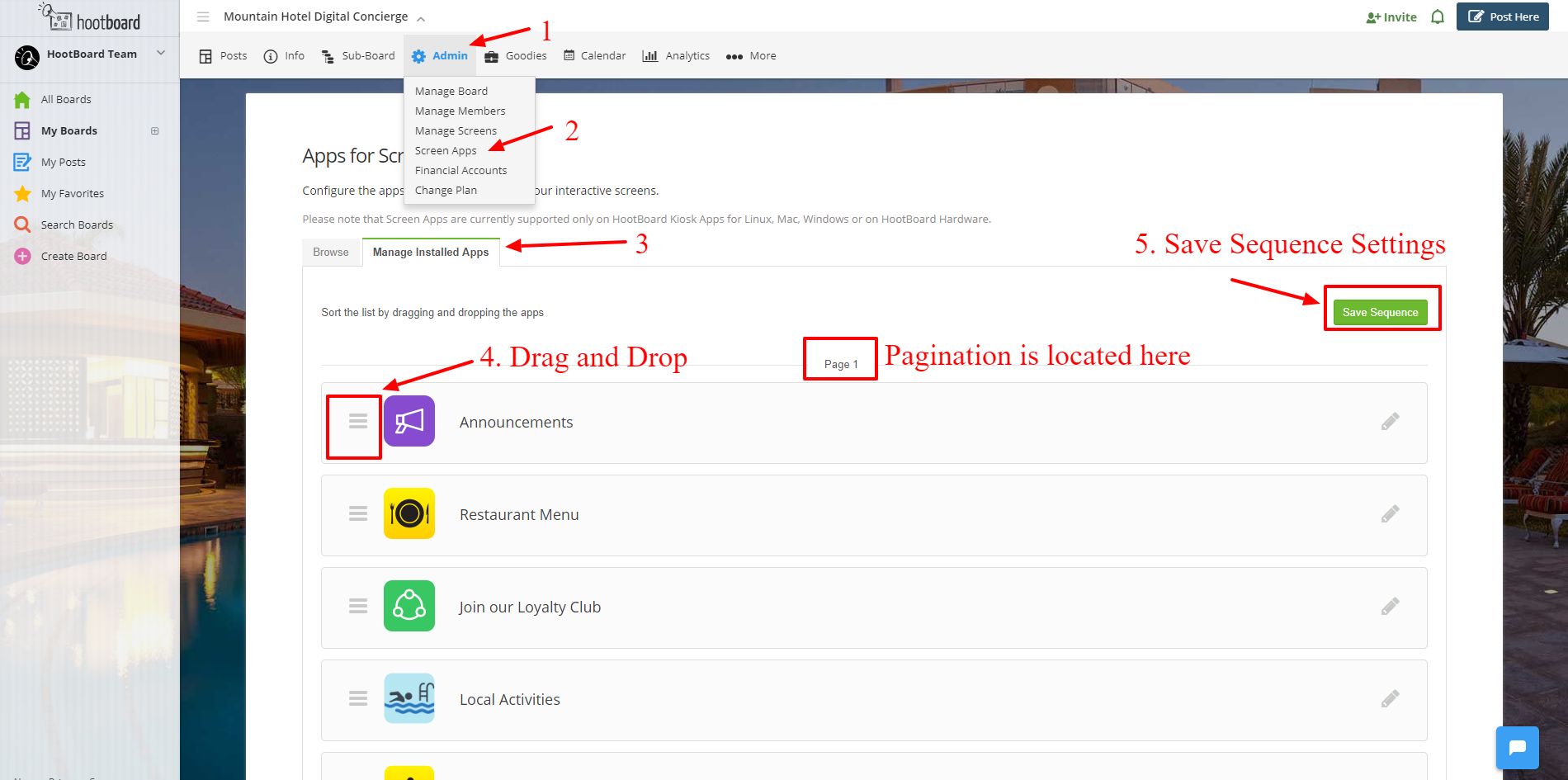
Changing the Order of your Apps
- Navigate to Admin -> Screen Apps -> Manage Installed Apps
- Rearrange your apps via Drag and Drop into the desired sequence.
- Ensure you hit Save Sequence to save your changes.
Adding Pages for Apps
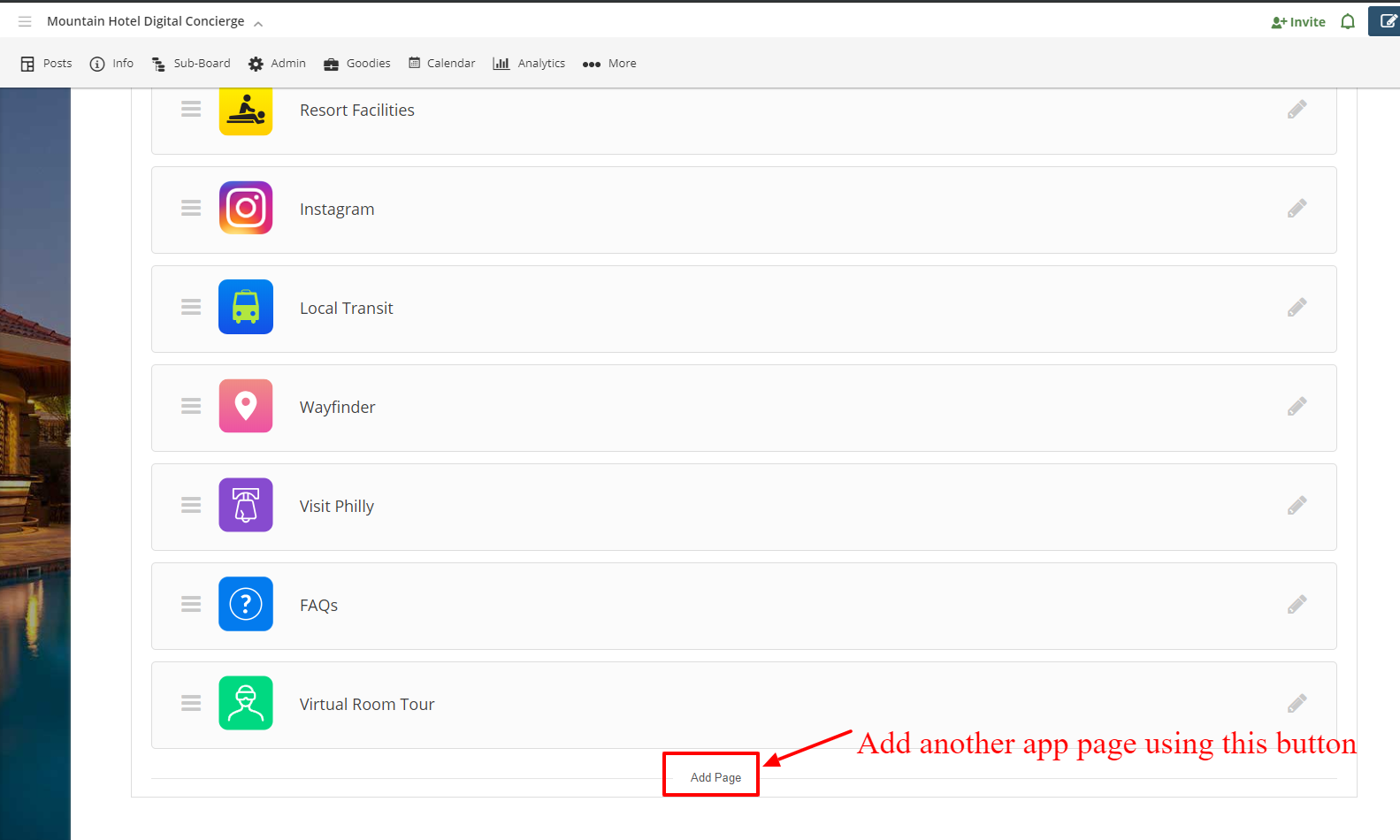
- Navigate to Admin -> Screen Apps -> Manage Installed Apps
- Click Add Page to add another page.
- Follow the instructions above for Changing the Order of your Apps to arrange your apps on the desired page.
Comments
0 comments
Please sign in to leave a comment.